
Can use as context
- Selected calendars for the connected member account.
- Calendar lists, event lists, individual events, attendees, times, locations, and descriptions.
- Free/busy availability for authorized calendars.
Calendar integration
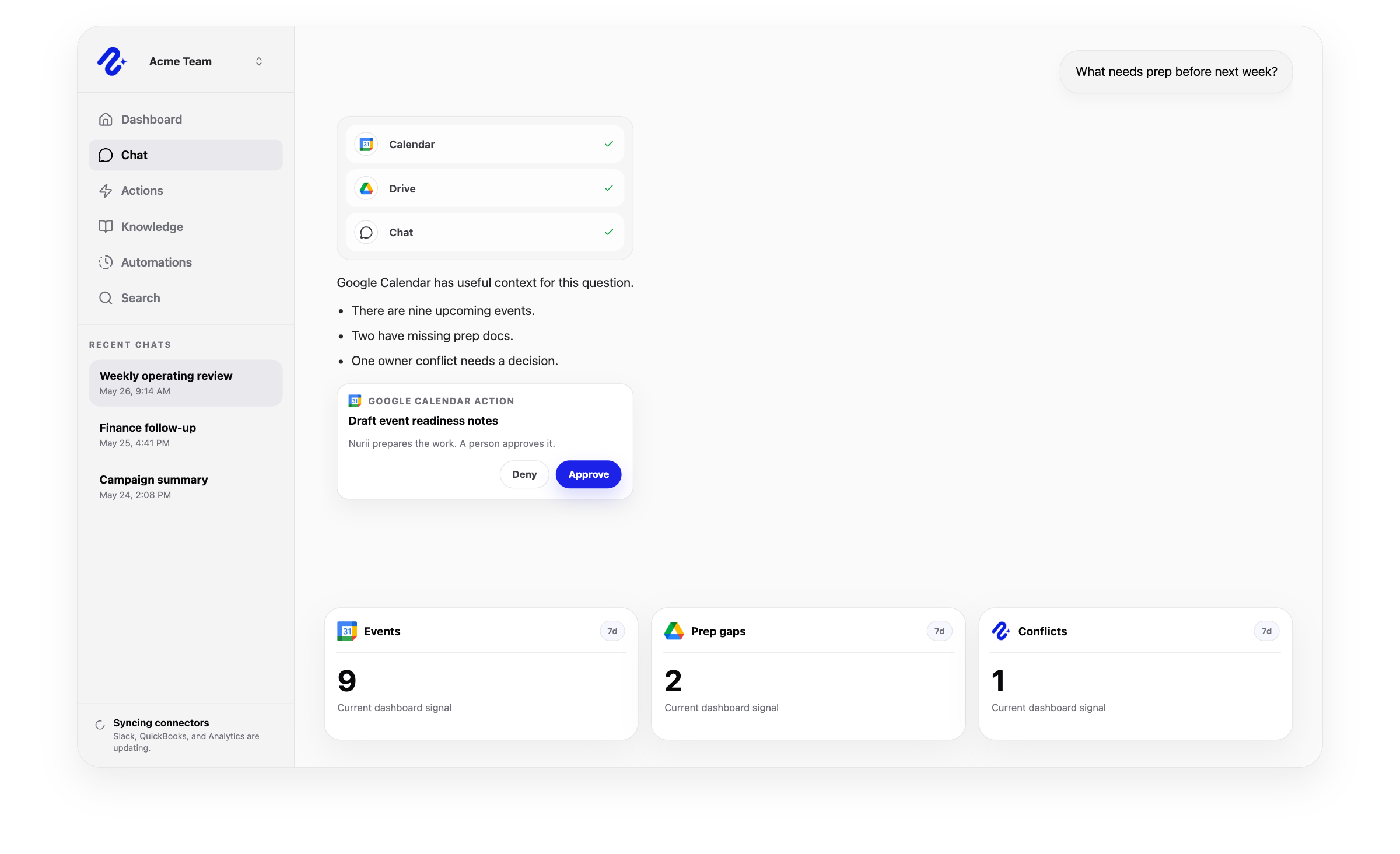
Nurii lets teams choose which calendars are available so schedule-aware questions do not require opening access to every calendar by default.
Access: Individual member connection. Use this connector in dashboards, AI chat, reports, and reviewed workflows.
Access and actions
Nurii uses authorized Google Calendar calendar data for answers and workflows, with limits shown below.
Common workflows
Use trusted calendar data for recurring reviews and approved follow-up.
Church and nonprofit context
Use selected calendars for church service and event readiness or nonprofit program and volunteer coordination.
Related platform
AI Chat
Ask across connected apps, selected files, Knowledge, dashboards, and approved memory in one business AI chat.
Automations
Run AI workflow automation on schedules or supported events for reports, monitoring, reviews, and approved follow-up.
Memory
Preserve approved preferences and working patterns while keeping Knowledge and connected app data separate.
Google Calendar FAQ
Yes. Nurii lets teams choose which calendars are available so schedule-aware questions do not require opening access to every calendar by default.
Use Google Calendar + Nurii for Event readiness checks, Team planning briefs, Schedule-aware follow-ups, AI chat, dashboards, reports, and supported follow-up.
Authorized Google Calendar data can include: Selected calendars for the connected member account. Calendar lists, event lists, individual events, attendees, times, locations, and descriptions. Free/busy availability for authorized calendars. Uses member-scoped connections and selected calendars only.
No write actions are currently supported for Google Calendar. Nurii uses Google Calendar for schedule-aware answers, planning, reports, and automations.
Each authorized member connects their own Google Calendar account for allowed workflows.
Yes. Authorized Google Calendar data can support recurring reports, monitoring, and follow-up. Actions depend on permissions and Nurii support.
Start with one verified report, check, or follow-up workflow.