
Approved actions
Human-in-the-loop AI actions that keep work moving after review.
Prepare updates, tasks, comments, CRM changes, and finance follow-up for human review.
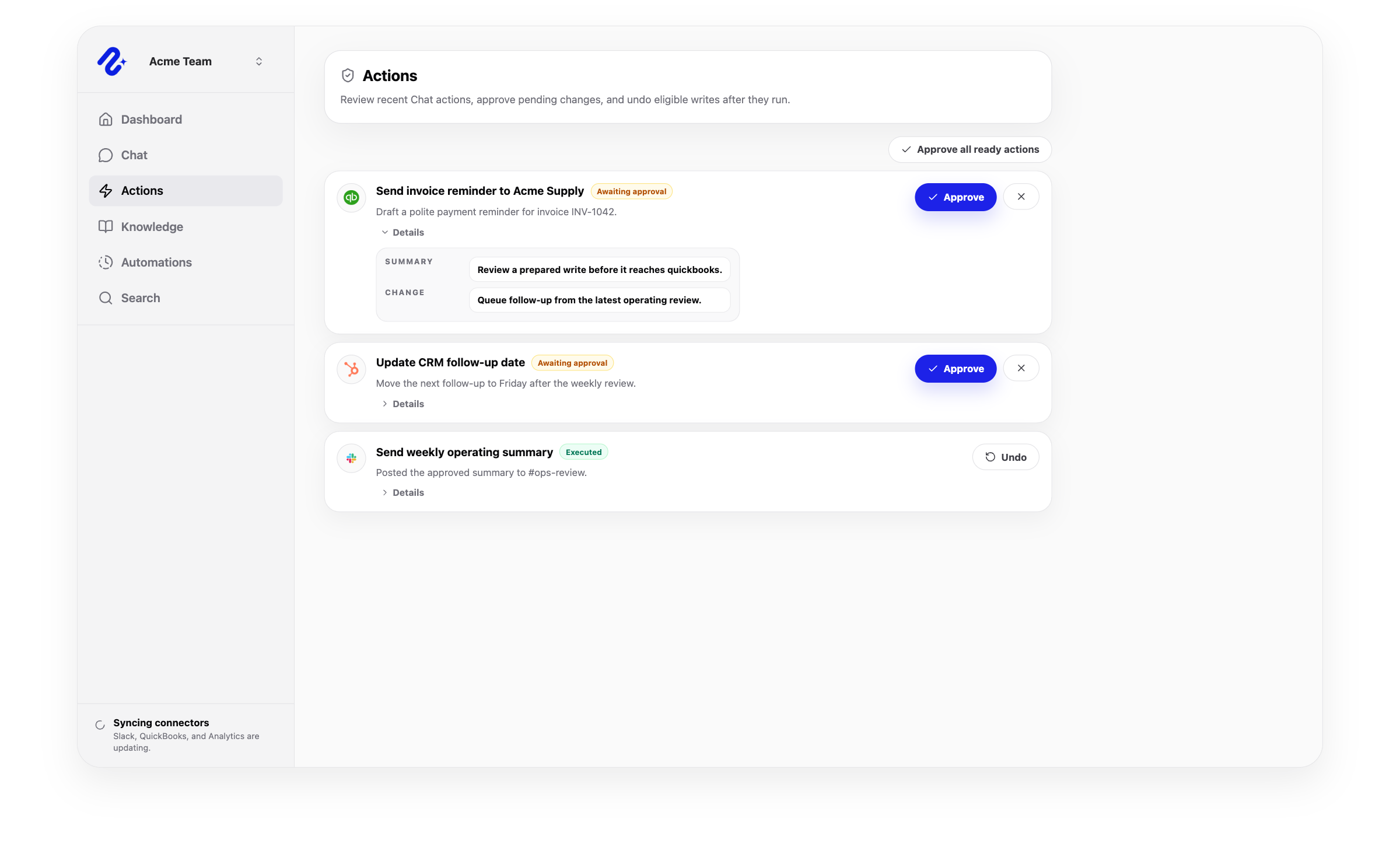
Human in the loop AI
Human-in-the-loop AI for work that changes real systems.
Nurii keeps connected-system changes under your control and records what runs.
Move from insight to proposed action without losing review control.
Let approved work continue with the next step in the same thread.
Stop active work and undo supported actions where available.
Same-thread runtime
Approval is a step in the work, not the end of the work.
Nurii waits for review, runs the approved action, then continues with the result.

Capabilities
How Nurii supports approved actions.
Review changes one by one or allow selected actions in advance.
- Proposal-first execution for supported write actions
- Clear action previews before updates are sent
- Same-thread continuation after approval, denial, or failure
- Stop active work and undo supported actions where available
- Action history for auditable operational work
- Approval settings that align automation and chat workflows
Use cases
Approved AI action use cases.
Control AI agent automation with human review and explainable changes.
Prepare a supported Planning Center or ministry task update for an authorized staff reviewer
Draft donor or CRM follow-up after reviewing approved context
Prepare finance follow-up from invoices, payments, or estimates
Create a website or communication draft after an event review
FAQ
Questions about approved actions.
What are approved AI actions?
They are proposed changes controlled by your team's action settings before Nurii updates another system.
What happens after an action is approved?
Nurii runs it, records the result, and continues with the next step in the same thread.
Why are approved actions important for AI agent control?
They block unapproved changes and keep a record of what ran.
Can teams auto-approve trusted actions?
Yes. Teams can allow selected actions in advance. Some actions always require review.
Can users stop or undo AI action work?
Yes. Users can stop active work and undo supported actions when the connector allows it.
Which connected tools can use approved actions?
Support depends on the connector and permissions. Integrations do not become automatic write targets by default.
Related platform
Explore related features.
Useful integrations
Connect the source tools.

Asana
Sync projects, tasks, sections, comments, and workspace context for Asana automation, project visibility, and task-triggered workflows.
View integration
HubSpot
Read authorized CRM domains and prepare approved CRM object actions.
View integration
QuickBooks
Bring finance signals into dashboards, reporting, and approved accounting workflows.
View integration
WordPress
Ask about approved sites and prepare website updates through reviewed workflows.
View integrationPut approved actions to work across your church systems.
Map the source data, first output, and review owner.