Can use as context
- Files a member explicitly chooses through the Google Drive picker.
- Document contents used as chat or workflow context.
- File-grounded context for Q&A, summaries, and planning.
Knowledge integration
Nurii downloads only the files a member selects for a conversation, making Drive useful for document-grounded analysis without broad background sync.
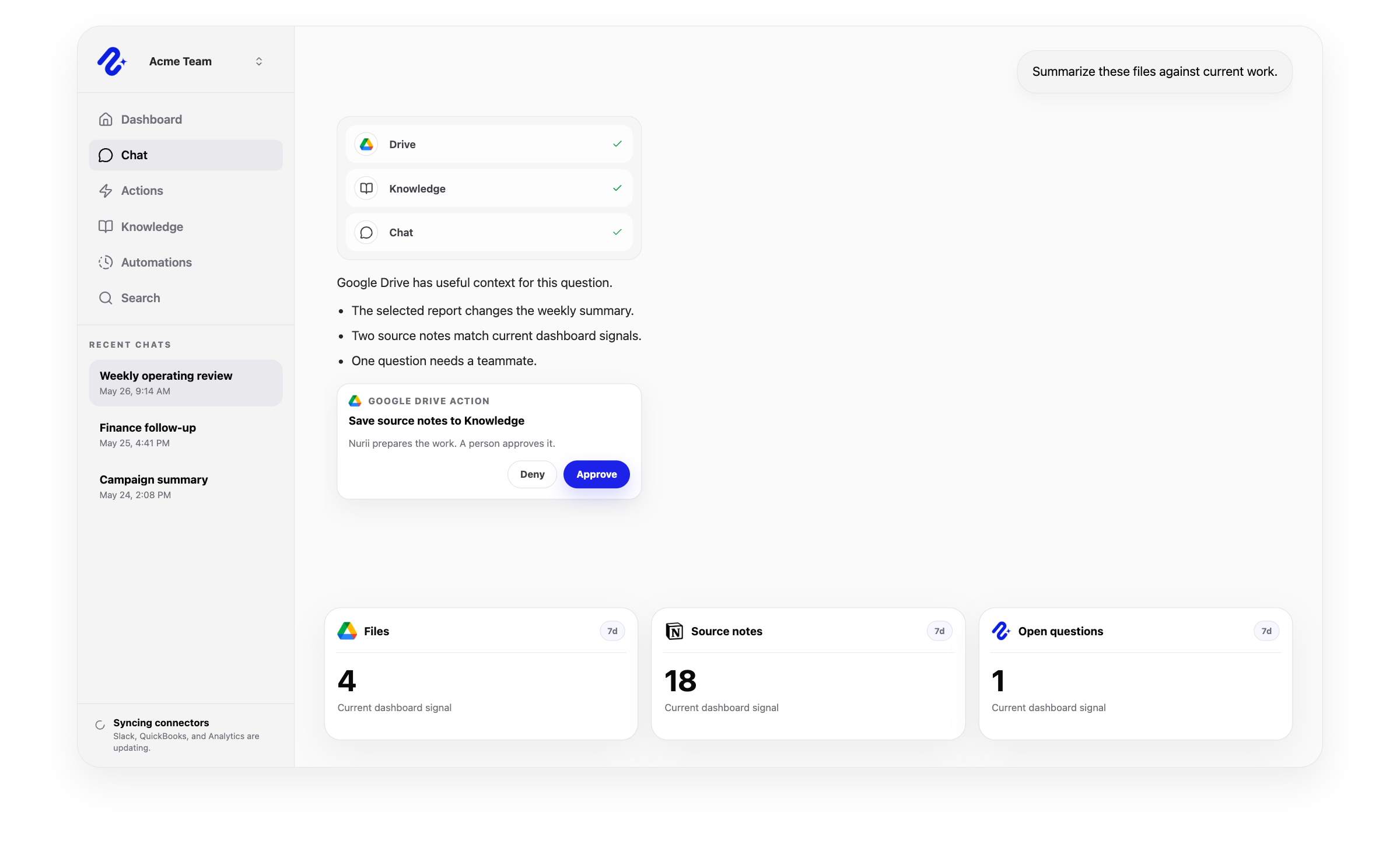
Access: Individual member connection. Use this connector in dashboards, AI chat, reports, and reviewed workflows.
Access and actions
Nurii uses authorized Google Drive knowledge data for answers and workflows, with limits shown below.
Common workflows
Use trusted knowledge data for recurring reviews and approved follow-up.
Church and nonprofit context
Select church SOPs and ministry files or nonprofit program and grant documents for a conversation without broad Drive access.
Related platform
AI Chat
Ask across connected apps, selected files, Knowledge, dashboards, and approved memory in one business AI chat.
Knowledge
Build an AI knowledge base from selected files, SOPs, and maintained context—separate from chat memory.
Memory
Preserve approved preferences and working patterns while keeping Knowledge and connected app data separate.
Related
Google Drive FAQ
Yes. Nurii downloads only the files a member selects for a conversation, making Drive useful for document-grounded analysis without broad background sync.
Use Google Drive + Nurii for Document Q&A, Report extraction, File-grounded planning, AI chat, dashboards, reports, and supported follow-up.
Authorized Google Drive data can include: Files a member explicitly chooses through the Google Drive picker. Document contents used as chat or workflow context. File-grounded context for Q&A, summaries, and planning. Does not broadly crawl Drive or background-sync every file.
No write actions are currently supported for Google Drive. Nurii uses Google Drive for selected-file context in chat, Knowledge work, and file-grounded analysis.
Each authorized member connects their own Google Drive account for allowed workflows.
Yes. Authorized Google Drive data can support recurring reports, monitoring, and follow-up. Actions depend on permissions and Nurii support.
Start with one verified report, check, or follow-up workflow.