
Knowledge integration

Notion + Nurii

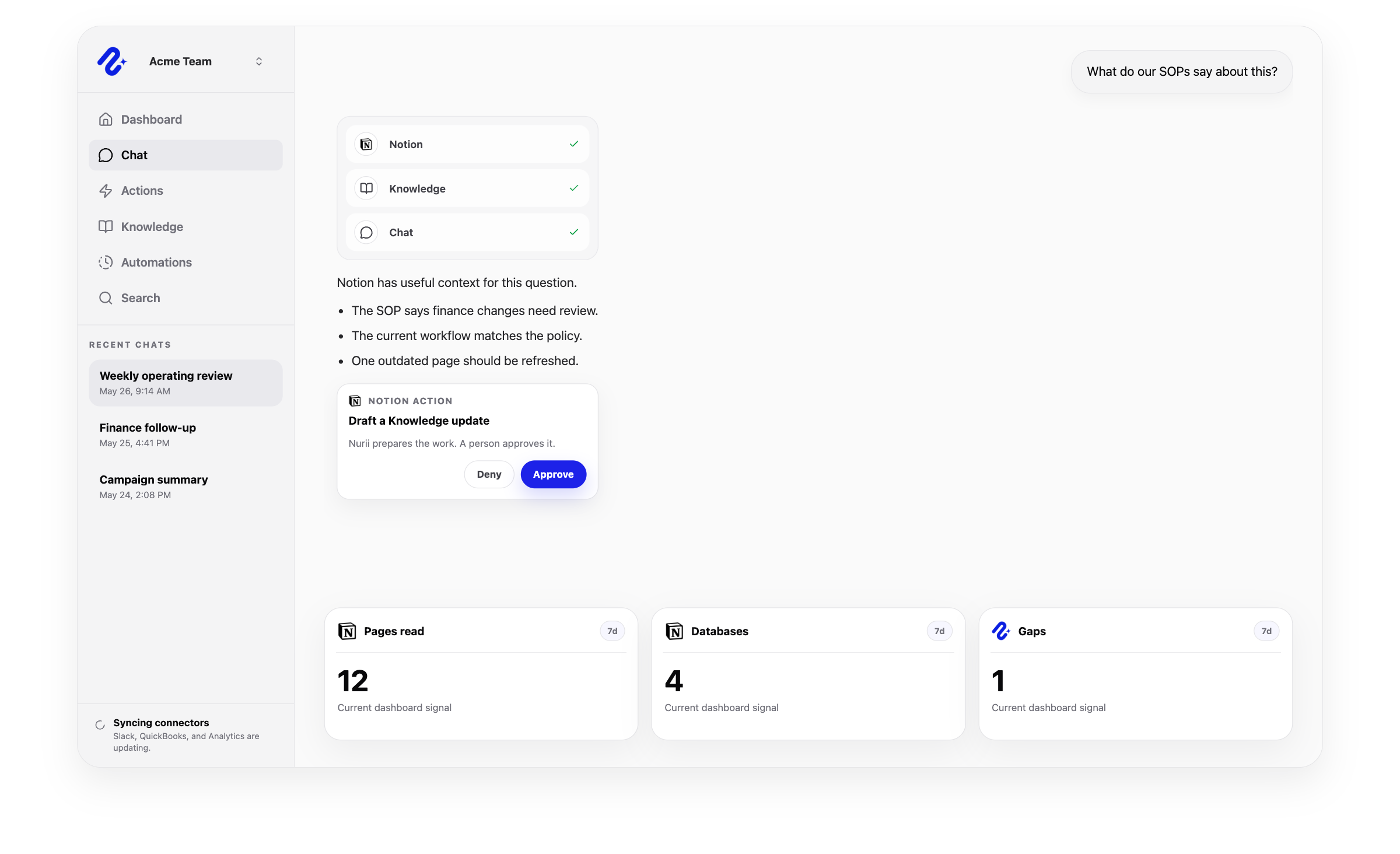
Nurii helps teams turn Notion documentation into operational context for answers, onboarding, planning, and follow-up.

Nurii product visual for Notion connected operations, workflows, and reviewed follow-up.

Operational context for Notion

Access model: Individual member connection. Nurii uses this connector to bring the right app context into dashboards, AI chat answers, scheduled reports, and reviewed workflows.

SOP Q&A

Knowledge gap checks

Project and database summaries

Access and actions

What Nurii can access and prepare in Notion

Clear scope matters for AI integrations. Nurii uses authorized Notion knowledge context for answers, dashboards, automations, and reviewed workflows while keeping important limits visible.

Can use as context

  • Pages, blocks, data sources, entries, comments, and workspace context available through synced Notion views.
  • Team knowledge and project context connected to the member's Notion workspace.
  • Page and data-source references used for AI chat, Knowledge, and follow-up.
Actions Nurii can prepare

  • Create, rename, move, lock, unlock, trash, and restore pages.
  • Create or update data-source entries.
  • Append or update blocks, update to-do state, trash or restore blocks, and create comments.

Important boundaries

  • Uses member-scoped Notion connections and authorized synced views.
  • Supported writes are prepared for review and depend on member permissions, connector setup, and enabled action access.
  • Excludes database schema edits, permissions, sharing, templates, relation-heavy property edits, and broad workspace admin.

Common workflows

What teams can do with Notion and Nurii

Use Notion + Nurii when the work depends on trusted knowledge context, recurring visibility, and follow-up that stays inside reviewable boundaries.

Notion AI assistantorganizational knowledge managementAI knowledge base

Notion FAQ

Questions about the Notion integration.

Answers for teams evaluating Notion AI reporting, workflow automation, dashboards, AI chat, and approved follow-up with Nurii.

Does Nurii integrate with Notion?

Yes. Nurii helps teams turn Notion documentation into operational context for answers, onboarding, planning, and follow-up.

What can teams do with Notion + Nurii?

Teams use Notion + Nurii for workflows such as SOP Q&A, Knowledge gap checks, Project and database summaries, plus AI chat, dashboards, scheduled reports, and approved follow-up for supported workflows.

What can Nurii access in Notion?

Nurii can use authorized Notion context including: Pages, blocks, data sources, entries, comments, and workspace context available through synced Notion views. Team knowledge and project context connected to the member's Notion workspace. Page and data-source references used for AI chat, Knowledge, and follow-up. Uses member-scoped Notion connections and authorized synced views.

Can Nurii take action in Notion?

Yes. Nurii can prepare supported Notion actions for review, including: Create, rename, move, lock, unlock, trash, and restore pages. Create or update data-source entries. Append or update blocks, update to-do state, trash or restore blocks, and create comments.

Is the Notion integration shared or connected by each member?

Notion uses individual member connections in Nurii. Each authorized member connects their own account, and Nurii uses that member-owned context inside their allowed workflows.

Can Nurii use Notion data in AI automations?

When authorized, Nurii can use Notion context in AI automations for recurring reports, monitoring, and follow-up preparation. Available actions depend on connector permissions and Nurii support.

See what is happening. Move the work forward.

Connect your tools and give your team one AI workspace for answers, dashboards, automations, and approved actions with clear controls.