
Marketing integration

Google Ads + Nurii

Nurii uses authorized Google Ads account context for read-only campaign visibility, paid search reporting, dashboard cards, and recurring marketing reviews without changing campaigns, budgets, ads, or keywords.

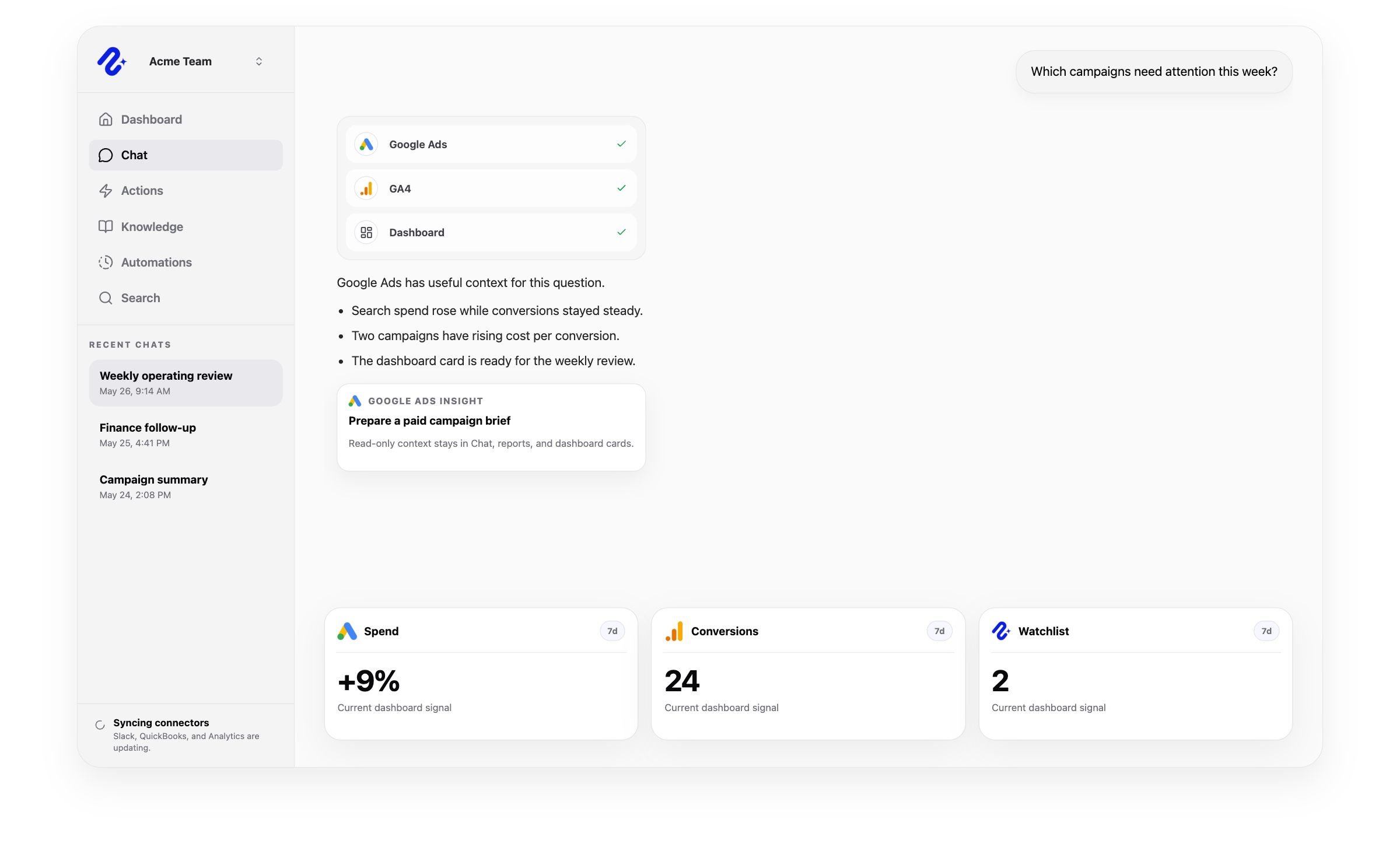
Nurii product visual for Google Ads connected operations, workflows, and reviewed follow-up.

Operational context for Google Ads

Access model: Shared organization connection. Nurii uses this connector to bring the right app context into dashboards, AI chat answers, scheduled reports, and reviewed workflows.

Paid campaign briefs

Spend and conversion dashboard cards

Search term and campaign trend reviews

Access and actions

What Nurii can access and prepare in Google Ads

Clear scope matters for AI integrations. Nurii uses authorized Google Ads marketing context for answers, dashboards, automations, and reviewed workflows while keeping important limits visible.

Can use as context

  • Authorized Google Ads customers selected for the organization.
  • Campaign, ad group, budget, keyword, search term, and conversion reporting context available through Google Ads API queries.
  • Cost, clicks, impressions, CTR, conversions, and campaign trend signals used in dashboards and recurring reports.


Actions Nurii can prepare

  • No write actions are currently supported for Google Ads.
  • Nurii uses Google Ads for paid campaign visibility, AI dashboards, recurring marketing reports, and cross-app questions.

Important boundaries

  • Uses selected customer accounts rather than broad manager-account access.
  • Runs read-only Google Ads API queries with authorized OAuth credentials and the configured developer token.
  • Nurii does not create, update, pause, remove, or otherwise mutate campaigns, budgets, ads, ad groups, keywords, assets, or account settings today.

Common workflows

What teams can do with Google Ads and Nurii

Use Google Ads + Nurii when the work depends on trusted marketing context, recurring visibility, and follow-up that stays inside reviewable boundaries.

Google Ads AI reportingAI paid search reportingGoogle Ads dashboard AI

Google Ads FAQ

Questions about the Google Ads integration.

Answers for teams evaluating Google Ads AI reporting, workflow automation, dashboards, AI chat, and approved follow-up with Nurii.

Does Nurii integrate with Google Ads?

Yes. Nurii uses authorized Google Ads account context for read-only campaign visibility, paid search reporting, dashboard cards, and recurring marketing reviews without changing campaigns, budgets, ads, or keywords.

What can teams do with Google Ads + Nurii?

Teams use Google Ads + Nurii for workflows such as Paid campaign briefs, Spend and conversion dashboard cards, Search term and campaign trend reviews, plus AI chat, dashboards, scheduled reports, and approved follow-up for supported workflows.

What can Nurii access in Google Ads?

Nurii can use authorized Google Ads context including: Authorized Google Ads customers selected for the organization. Campaign, ad group, budget, keyword, search term, and conversion reporting context available through Google Ads API queries. Cost, clicks, impressions, CTR, conversions, and campaign trend signals used in dashboards and recurring reports. Uses selected customer accounts rather than broad manager-account access.

Can Nurii take action in Google Ads?

No write actions are currently supported for Google Ads. Nurii uses Google Ads for paid campaign visibility, AI dashboards, recurring marketing reports, and cross-app questions.

Is the Google Ads integration shared or connected by each member?

Google Ads uses a shared organization connection in Nurii. Authorized organization users manage the connection and the selected resources available to shared workflows.

Can Nurii use Google Ads data in AI automations?

When authorized, Nurii can use Google Ads context in AI automations for recurring reports, monitoring, and follow-up preparation. Available actions depend on connector permissions and Nurii support.

See what is happening. Move the work forward.

Connect your tools and give your team one AI workspace for answers, dashboards, automations, and approved actions with clear controls.