Marketing integration

Klaviyo + Nurii

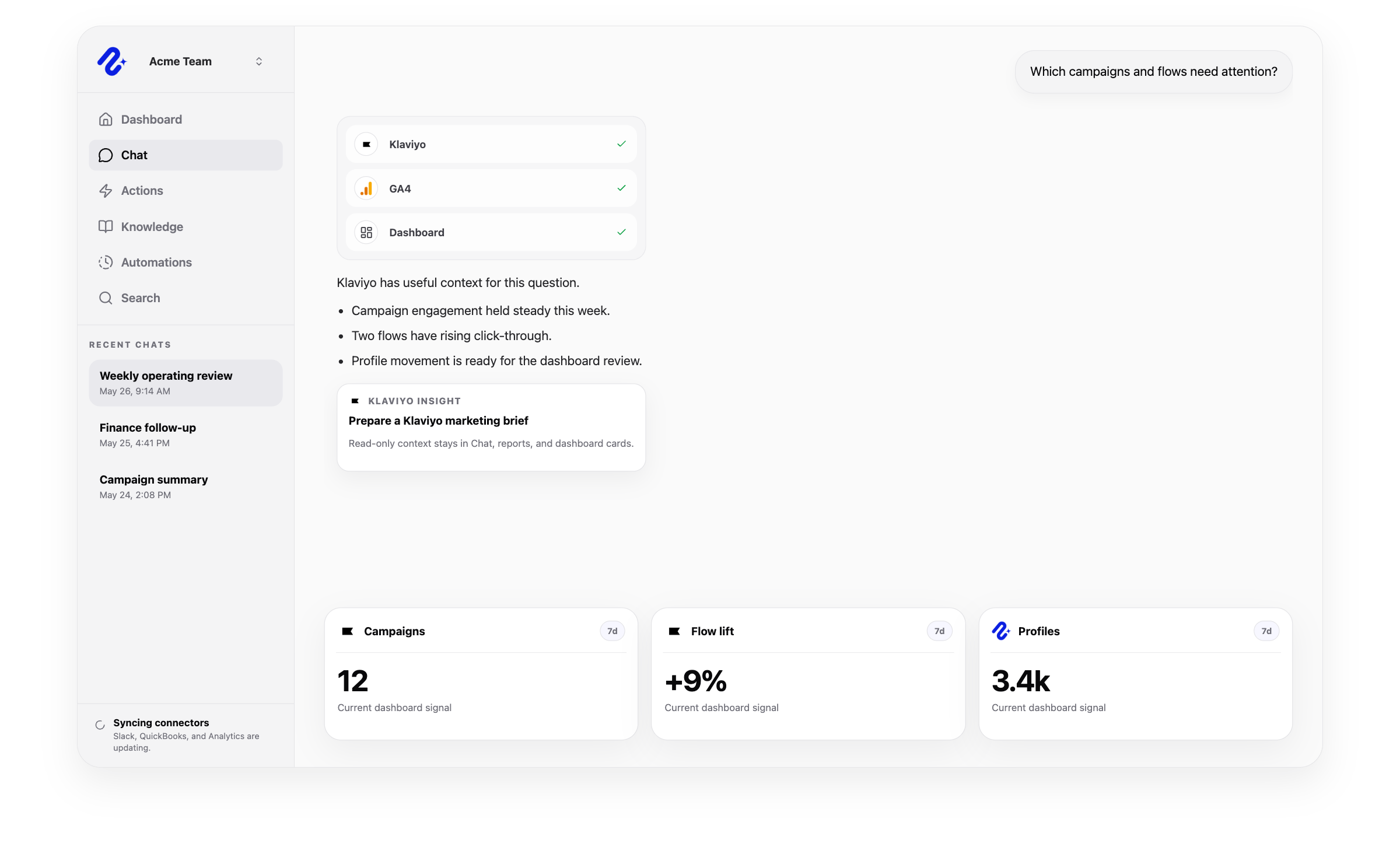
Use authorized Klaviyo data for read-only campaign, flow, audience, profile, and dashboard reporting without changing records or settings.

Nurii product visual for Klaviyo connected operations, workflows, and reviewed follow-up.

Operational context for Klaviyo

Access: Shared organization connection. Use this connector in dashboards, AI chat, reports, and reviewed workflows.

Campaign performance briefs

Flow and form trend reviews

Audience and profile dashboard cards

Marketing context in AI chat

Access and actions

What Nurii can access and prepare in Klaviyo

Nurii uses authorized Klaviyo marketing data for answers and workflows, with limits shown below.

Can use as context

  • Accounts, campaigns, campaign messages, flows, flow actions, forms, lists, segments, tags, metrics, metric properties, events, and profiles.
  • Campaign, flow, form, audience, and profile signals used in AI dashboard cards, recurring reports, and cross-app marketing questions.
  • Recent profile and event context where the organization grants the member enough Nurii permissions to see detailed marketing-contact data.

Actions Nurii can prepare

  • No write actions are currently supported for Klaviyo.
  • Nurii uses Klaviyo for AI answers, dashboards, recurring marketing reports, and read-only campaign and audience visibility.

Important boundaries

  • Uses a shared organization connection with Nurii member permissions controlling detailed profile and audience visibility.
  • Requests read-only Klaviyo OAuth scopes and stores connector credentials encrypted server-side.
  • Nurii does not create, update, send, schedule, suppress, delete, or otherwise mutate Klaviyo campaigns, flows, forms, lists, segments, profiles, or account settings today.

Common workflows

What teams can do with Klaviyo and Nurii

Use trusted marketing data for recurring reviews and approved follow-up.

Klaviyo AI reportingKlaviyo dashboard AIAI marketing operationsemail marketing analytics AI

Church and nonprofit context

Add read-only campaign, flow, audience, and event data to reports. Nurii cannot change Klaviyo data or settings today.

Klaviyo FAQ

Questions about the Klaviyo integration.

Does Nurii integrate with Klaviyo?

Yes. Use authorized Klaviyo data for read-only campaign, flow, audience, profile, and dashboard reporting without changing records or settings.

What can teams do with Klaviyo + Nurii?

Use Klaviyo + Nurii for Campaign performance briefs, Flow and form trend reviews, Audience and profile dashboard cards, Marketing context in AI chat, AI chat, dashboards, reports, and supported follow-up.

What can Nurii access in Klaviyo?

Authorized Klaviyo data can include: Accounts, campaigns, campaign messages, flows, flow actions, forms, lists, segments, tags, metrics, metric properties, events, and profiles. Campaign, flow, form, audience, and profile signals used in AI dashboard cards, recurring reports, and cross-app marketing questions. Recent profile and event context where the organization grants the member enough Nurii permissions to see detailed marketing-contact data. Uses a shared organization connection with Nurii member permissions controlling detailed profile and audience visibility.

Can Nurii take action in Klaviyo?

No write actions are currently supported for Klaviyo. Nurii uses Klaviyo for AI answers, dashboards, recurring marketing reports, and read-only campaign and audience visibility.

Is the Klaviyo integration shared or connected by each member?

Authorized users manage one shared Klaviyo connection and its available resources.

Can Nurii use Klaviyo data in AI automations?

Yes. Authorized Klaviyo data can support scheduled workflows, reports, dashboards, and cross-app answers. The connector is read-only today.

Automate recurring work across your church systems.

Start with one verified report, check, or follow-up workflow.