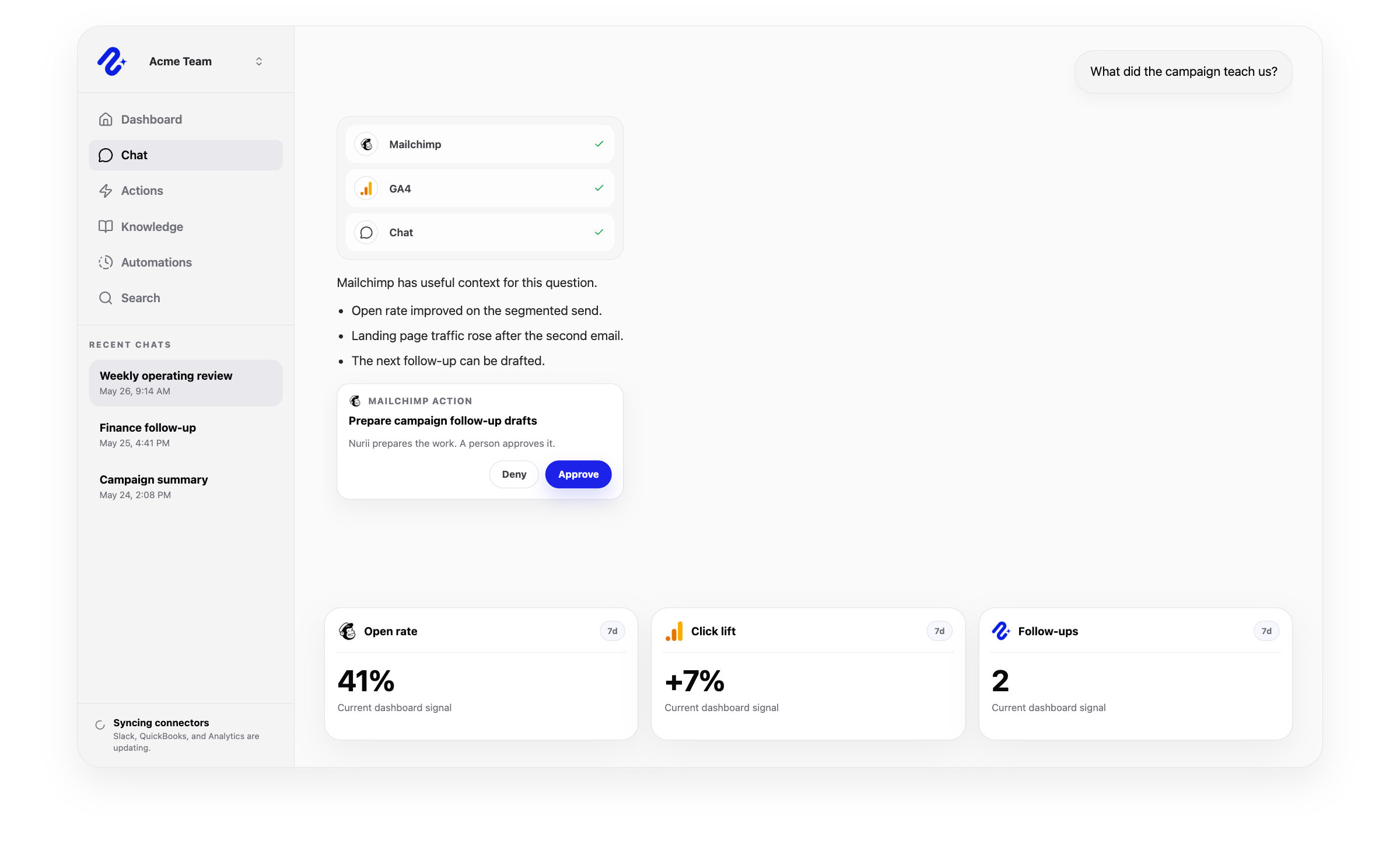
Access model: Shared organization connection. Nurii uses this connector to bring the right app context into dashboards, AI chat answers, scheduled reports, and reviewed workflows.
Clear scope matters for AI integrations. Nurii uses authorized Mailchimp marketing context for answers, dashboards, automations, and reviewed workflows while keeping important limits visible.
Can use as context
Audiences, members, tags, static segments, campaigns, templates, and default-content sections.
Campaign settings, draft content, status data, and send-checklist visibility.
Marketing activity used in dashboards, reports, and follow-up planning.
Actions Nurii can prepare
Add or update audience members and tags.
Create, update, or delete static segments and add or remove segment members.
Create or update templates; create or update campaign drafts, set content, send tests, replicate, delete drafts, schedule, and unschedule.
Important boundaries
Requires Mailchimp communications access plus contact or campaign bucket access.
Test sends go only to explicit test recipients; live audience sends are not supported.
Use Mailchimp + Nurii when the work depends on trusted marketing context, recurring visibility, and follow-up that stays inside reviewable boundaries.
Mailchimp AI reportingAI marketing operationscampaign analytics AI
Related platform
How the Mailchimp integration fits the Nurii platform
Use connected app context in dashboards, AI chat, scheduled workflows, and approved actions without turning every system into a separate reporting chore.
Answers for teams evaluating Mailchimp AI reporting, workflow automation, dashboards, AI chat, and approved follow-up with Nurii.
Does Nurii integrate with Mailchimp?
Yes. Nurii helps connect marketing activity to operations by summarizing campaigns, open rates, audiences, and next-step opportunities.
What can teams do with Mailchimp + Nurii?
Teams use Mailchimp + Nurii for workflows such as Campaign performance briefs, Audience trend reviews, Approved campaign follow-up drafts, plus AI chat, dashboards, scheduled reports, and approved follow-up for supported workflows.
What can Nurii access in Mailchimp?
Nurii can use authorized Mailchimp context including: Audiences, members, tags, static segments, campaigns, templates, and default-content sections. Campaign settings, draft content, status data, and send-checklist visibility. Marketing activity used in dashboards, reports, and follow-up planning. Requires Mailchimp communications access plus contact or campaign bucket access.
Can Nurii take action in Mailchimp?
Yes. Nurii can prepare supported Mailchimp actions for review, including: Add or update audience members and tags. Create, update, or delete static segments and add or remove segment members. Create or update templates; create or update campaign drafts, set content, send tests, replicate, delete drafts, schedule, and unschedule.
Is the Mailchimp integration shared or connected by each member?
Mailchimp uses a shared organization connection in Nurii. Authorized organization users manage the connection and the selected resources available to shared workflows.
Can Nurii use Mailchimp data in AI automations?
When authorized, Nurii can use Mailchimp context in AI automations for recurring reports, monitoring, and follow-up preparation. Available actions depend on connector permissions and Nurii support.
See what is happening. Move the work forward.
Connect your tools and give your team one AI workspace for answers, dashboards, automations, and approved actions with clear controls.